File versions: how Culacc saves you from "wait, I need the old one"
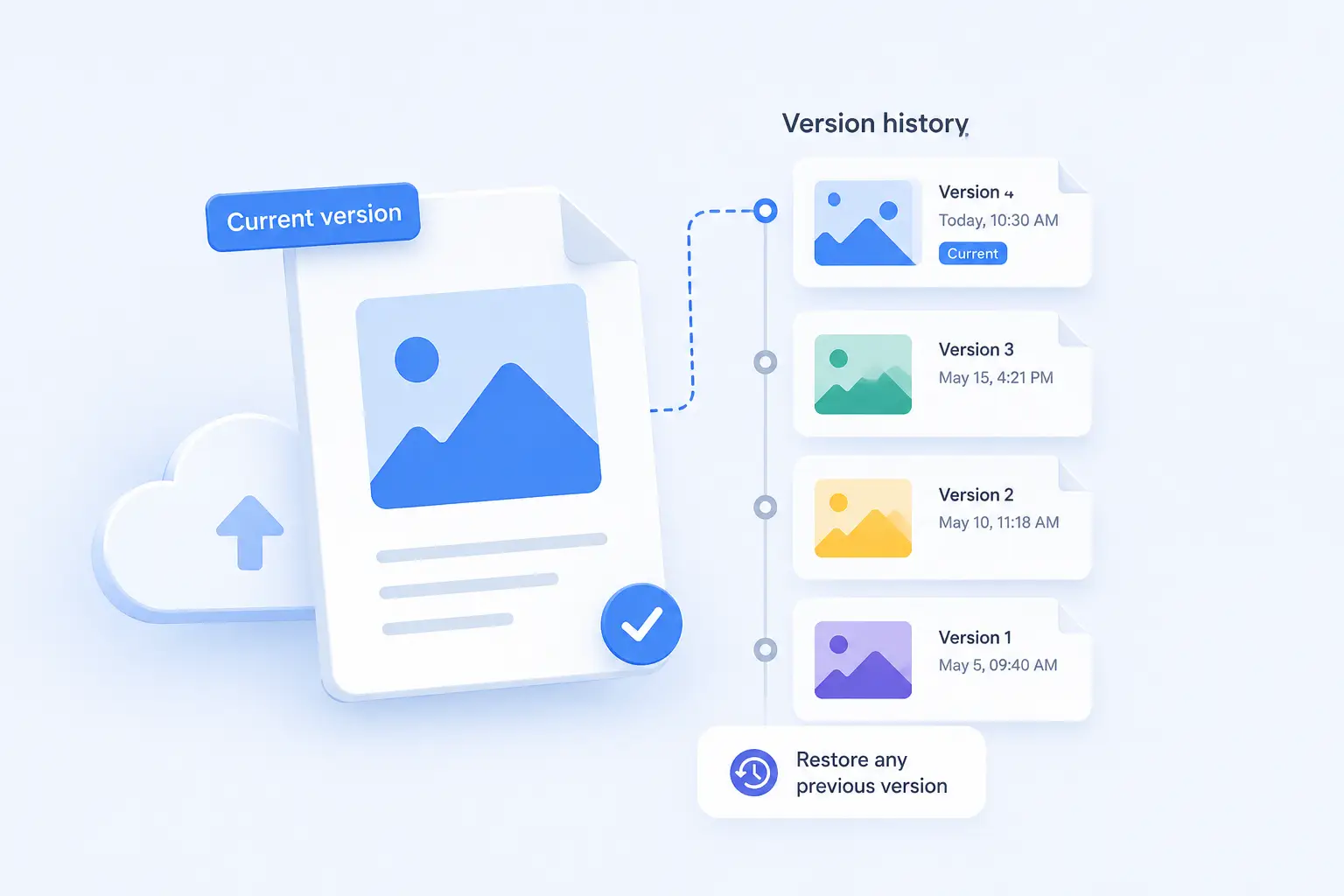
Everyone has done it at least once. You open a document, make a few changes, hit save, close the tab — and then realize the version you just overwrote was the one you actually wanted. The good one. The one with the paragraph you spent twenty minutes rewriting last week.
If your storage provider doesn't keep file versions, that work is gone. If it does, you get it back in a couple of clicks.
This post explains how Culacc handles file versioning, what's happening behind the scenes, and why it matters more than most people realize.
What "file versions" actually means
Every time you upload a file with the same name as an existing one, most cloud storage services replace the old file with the new one. That's the intuitive behavior — but it's also irreversible.
Versioning changes that. Instead of overwriting, Culacc keeps the previous content as a separate version of the same file. The newest upload becomes the current version, and the older ones sit quietly underneath it, available whenever you need them. The file name stays the same, your shared links keep working, and the only thing that changes is that you now have a safety net.
You can think of it as a timeline for each file rather than a single snapshot.
How it works under the hood
Culacc stores files on S3-compatible object storage with versioning enabled at the storage layer. When you upload a file, the bytes are encrypted with AES-256-GCM before they leave the server, and the resulting ciphertext gets a new version ID in the storage backend. Older versions aren't deleted — they're just no longer the "current" one.
This matters for some reasons.
First, the integrity of older versions is the same as the current one. They're encrypted with the same scheme, stored with the same redundancy, and protected by the same access controls. An old version of a sensitive document isn't a weaker copy floating around somewhere — it's a first-class object.
Second, versioning is independent of what your editor does. Whether you upload a file through the web dashboard, sync it from your desktop, edit it in ONLYOFFICE, or pull it in through a Google Drive or OneDrive sync, every change produces a new version. There's no special "version mode" you have to enable per file.
When versions save you
A few situations where versioning has earned its keep:
A teammate edits a shared document and removes a section you needed. You restore the previous version, copy the section back, and move on. Total time: under a minute.
A sync conflict pushes a half-finished draft over a finished one because two devices were out of sync. The finished one is still there, one version back.
You realize a week later that a configuration file in your project changed and broke something. You scroll through the version history, find the moment it changed, and pull the working state back.
Ransomware encrypts a folder on your laptop and the encrypted garbage syncs up to the cloud. The original files are still recoverable from their previous versions. This one isn't theoretical — it's one of the strongest practical arguments for using versioned cloud storage at all.
Versions and your privacy
A reasonable question: if Culacc keeps every version of every file, doesn't that mean more of your data is sitting on a server?
Yes — and it's all encrypted the same way. The encryption keys, the EU jurisdiction, the access controls: everything that applies to your current files applies to their history. Nobody at Culacc can read your old versions any more than they can read your current ones.
When you permanently delete a file, all of its versions are removed from object storage as part of the same atomic operation. There's no orphaned ciphertext sitting around in a forgotten bucket. Delete means delete, including history.
Versions and storage quota
Versions count toward your storage quota. This is intentional — pretending versions are free would be misleading, because they actually do take up space on the underlying storage. In practice, most documents and small files have a negligible footprint even with full version history. Large files (video, archives, design assets) are where you'll want to be more deliberate about how long version history is retained.
Culacc lets you manage this directly: you can prune old versions of specific files, or rely on the default retention behavior for everything else.
The boring conclusion
File versioning isn't a flashy feature. There's no AI in it, no fancy UI, no demo video that makes anyone go "wow." It's plumbing.
But it's the kind of plumbing that turns a bad day into a five-minute inconvenience. If you've ever lost work to a save, a sync, a teammate, or your own muscle memory, you already know why it matters.
That's why it's on by default in Culacc, and why we treat it as core infrastructure rather than a premium add-on. Your files should be recoverable from your own mistakes, not just from ours.
Encrypted by default. EU-hosted. No US data routing.
Start with Culacc